









🔌 Which Is the Smaller USB: USB-A or USB-C? (2026 Simple Guide)

🧠 Introduction: Why USB Size Actually Matters
When choosing cables or accessories, many people ask a simple but important question:
👉 Which USB is smaller — USB-A or USB-C?
The answer affects:
- 📱 Device compatibility
- 🎧 Audio accessories
- 💻 Laptop connections
- 🎮 Gaming setups
And in 2026, with more compact devices than ever, size matters more than you think.
⚡ Quick Answer
👉 USB-C is smaller than USB-A
✔️ USB-C = Slim, compact, modern
✔️ USB-A = Bigger, older design
📏 Physical Size Comparison
🔌 USB-A (Traditional)
- Large rectangular shape
- One-way insertion (not reversible)
- Used for decades
✔️ Strong and durable
❌ Bulky compared to modern ports
⚡ USB-C (Modern Standard)
- Small oval shape
- Reversible (plug it any way)
- Designed for slim devices
✔️ Compact and lightweight
✔️ Easier to use
✔️ Fits modern smartphones & laptops
📊 Size Comparison Table
| Feature | USB-A | USB-C |
|---|---|---|
| Size | Large | Small ✅ |
| Shape | Rectangle | Oval |
| Reversible | ❌ | ✅ |
| Modern Devices | ❌ | ✅ |
🎧 Why Smaller USB-C Is Better
The smaller size of USB-C allows:
✔️ Thinner smartphones 📱
✔️ Slim laptops 💻
✔️ Cleaner cable management
✔️ Better portability
👉 That’s why most new devices no longer include USB-A ports.
🎮 USB Size in Gaming & Audio
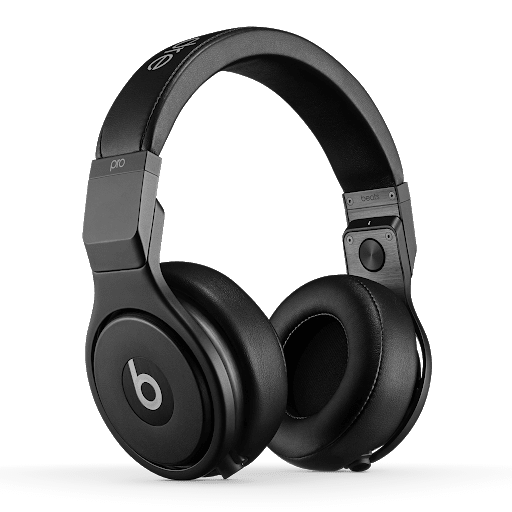
🎧 Audio Gear
USB-C supports:
✔️ DAC audio devices
✔️ High-quality sound transfer
✔️ Modern headphones
🎮 Gaming Setup
✔️ Faster data
✔️ Better power delivery
✔️ Cleaner setup
🛒 Recommended Accessories to Upgrade Your Setup
🎧 Headphone Splitter (Perfect for Gaming)
👉 https://devixo.store/product/3-5mm-headphone-splitter-trrs-female-to-dual-trs-male-adapter/
✔️ Split mic + audio
✔️ Ideal for PC gaming
✔️ Clear communication
🔊 AUX Audio Cable (Zero Delay Sound)
👉 https://devixo.store/product/3-5mm-audio-cable-flat-braided-male-to-male-aux-cord-car-headphones/
✔️ Stable connection
✔️ No latency
✔️ Perfect for gaming & car
🎧 USB Audio Cable (For High-End Sound)
👉 https://devixo.store/product/yyaudio-hifi-usb-data-cable-l-4e6s-type-a-b-dac-audio-use/
✔️ Designed for DAC audio
✔️ Cleaner signal
✔️ Better sound quality
🎯 When Should You Use Each USB Type?
👉 Use USB-A if:
✔️ You have older devices
✔️ You need compatibility
✔️ You use traditional PCs
👉 Use USB-C if:
✔️ You want modern performance
✔️ You use new phones/laptops
✔️ You need fast charging & audio
🧠 Pro Tips
✔️ Always choose USB-C if your device supports it
✔️ Use high-quality cables for audio setups
✔️ Combine USB-C with DAC for best sound
✔️ Keep AUX cables for zero-latency gaming
🏁 Final Verdict
👉 Which is smaller?
✔️ USB-C is clearly smaller than USB-A
🔥 Final Summary
USB-C is not just smaller — it’s:
✔️ Faster
✔️ Smarter
✔️ More powerful
✔️ Future-proof
👉 In 2026, USB-C is the standard for modern devices, while USB-A is slowly fading away.

No comment