












Modern devices demand smarter charging solutions. The Kuwajia 140W Type-C Auto Cut Charging Protector represents a breakthrough in battery protection technology.
This intelligent device automatically stops charging when your device reaches full charge. It prevents overcharging damage that shortens battery lifespan.
Overnight charging becomes worry-free with automatic power cutoff. Your devices stay protected while you sleep.
Protect Your Devices from Overcharging Damage
Discover how intelligent power management extends battery lifespan and keeps your devices safer during overnight charging.
Product Overview and Introduction
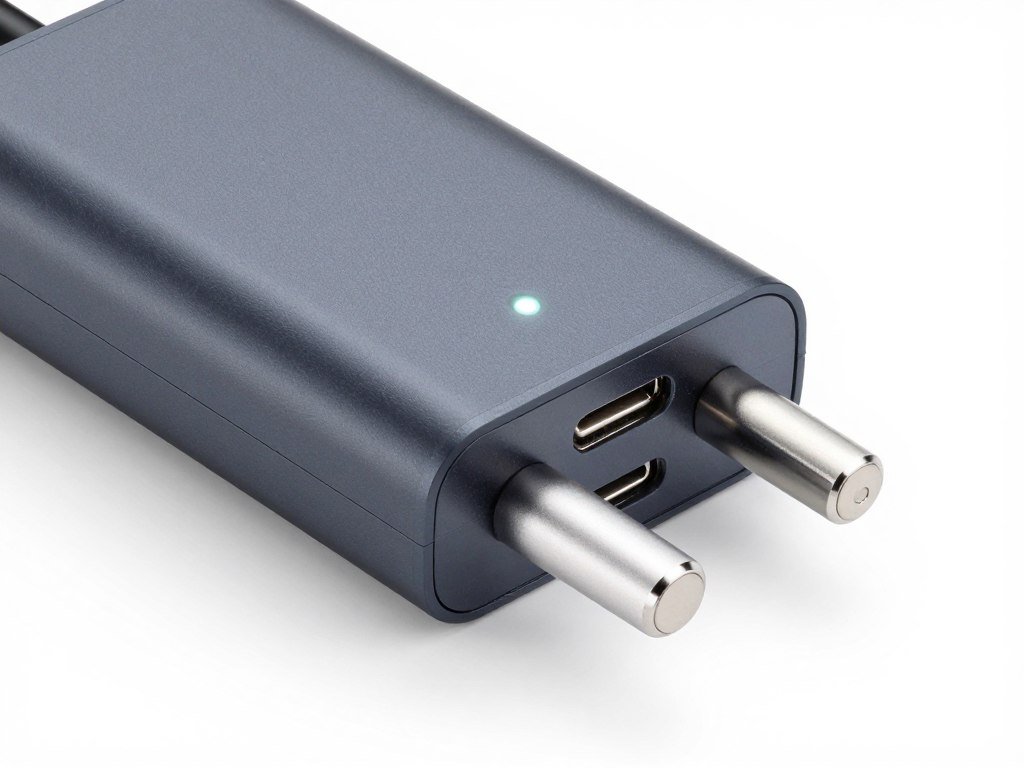
The Kuwajia 140W Type-C Auto Cut Charging Protector delivers advanced battery protection for modern devices. This compact device fits easily between your charger and device.
It monitors charging flow continuously. When your device reaches 100 charge, the protector automatically cuts power delivery.
The intelligent power management system works with laptops, smartphones, tablets, and other USB-C devices. It supports up to 140W power delivery for fast charging capabilities.
Key Features at a Glance
- Automatic power cutoff when device reaches full charge
- 140W maximum power delivery for fast charging support
- Universal USB Type-C compatibility across devices
- LED indicator displays charging status clearly
- Compact design fits easily into any setup
- Prevents overcharging to extend battery lifespan
- Works seamlessly during overnight charging sessions
- No software installation or configuration required
What Makes This Protector Different
Traditional chargers continue delivering power even after devices reach full battery. This constant trickle charging generates heat and degrades battery cells over time.
The Kuwajia protector automatically stops this unnecessary power flow. Your device stays at optimal charge levels without continuous stress on the battery.
The intelligent cutoff feature activates precisely when needed. You get complete battery protection without manual intervention.
Detailed Specifications and Technical Features
Understanding the technical capabilities helps you maximize the protector’s performance. The specifications reveal why this device works effectively across multiple charging scenarios.
| Specification | Details |
| Maximum Power Output | 140W |
| Connector Type | USB Type-C (both ends) |
| Voltage Range | 5V – 20V |
| Current Range | Up to 7A |
| Auto-Cut Threshold | 100% battery charge |
| Cable Length | Integrated compact design |
| LED Indicator | Charging status display |
| Material Construction | Fire-resistant ABS plastic |
| Operating Temperature | 0°C to 45°C |
| Certifications | CE, FCC, RoHS compliant |
Power Delivery Capabilities
The 140W capacity supports even the most demanding devices. Modern laptops requiring high wattage charge at full speed through this protector.
Power delivery negotiation happens automatically. The device communicates with your gadgets to provide optimal charging rates.
Fast charging protocols remain fully functional. You don’t sacrifice charging speed for battery protection.

Construction and Build Quality
The fire-resistant ABS plastic housing provides durability and safety. This material withstands daily use without degradation.
Internal components use premium materials for reliable performance. The design prioritizes both functionality and longevity.
Compact dimensions make storage and travel convenient. The protector adds minimal bulk to your charging setup.
Ready to Protect Your Device Battery?
Get the Kuwajia 140W Type-C Auto Cut Charging Protector (Free Shipping) and stop worrying about overnight charging damage. Your battery will thank you.
How the Auto-Cut Technology Works for Charging Protection
The auto-cut mechanism represents intelligent engineering for battery protection. Understanding how it functions helps you appreciate the technology protecting your devices.
The Charging Detection Process
The protector monitors voltage and current flow continuously. Sensors detect when your device reaches full charge capacity.
Battery management systems communicate charge status through the USB-C protocol. The protector reads these signals in real-time.
When the device reaches 100 charge, the protector receives the completion signal. This triggers the automatic cutoff sequence.
Stage 1: Active Charging
Power flows normally from your charger through the protector to your device. The LED indicator shows active charging status with a steady light.
The device draws power according to its charging requirements. Fast charging protocols operate at full capacity during this phase.
Stage 2: Full Charge Detection
The protector detects when battery reaches full capacity. Internal circuits monitor the charging completion signal from your device.
The auto-cut mechanism prepares to disconnect power flow. This happens within milliseconds of detecting 100 charge status.
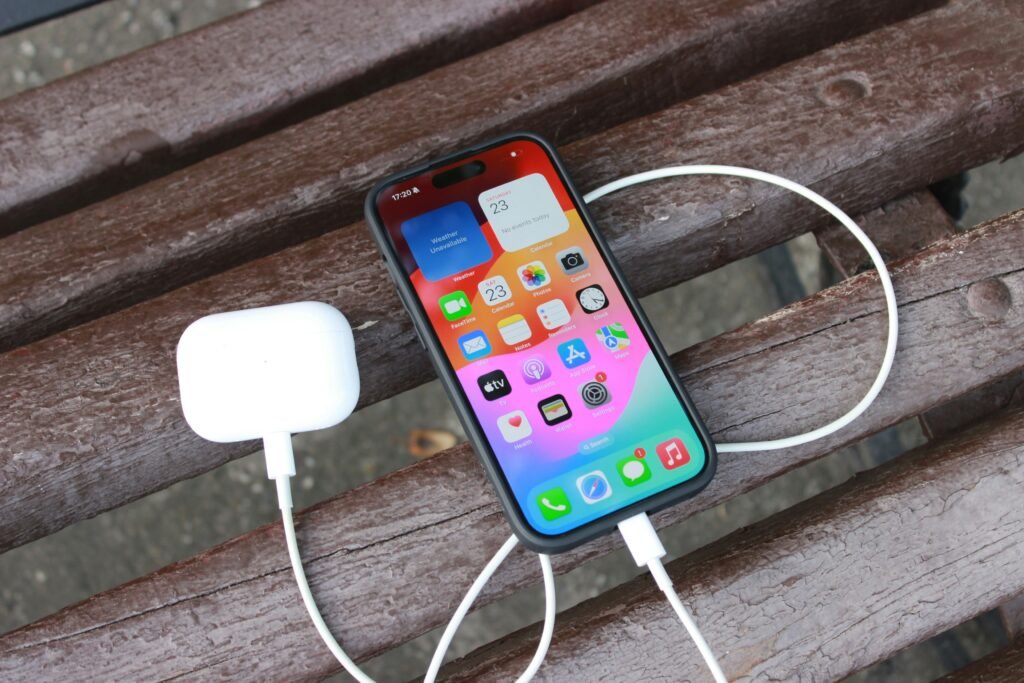
Power Cutoff Mechanism
Once full charge is detected, the protector interrupts the power circuit. This stops all current flow to your device immediately.
The cutoff happens mechanically through internal switching components. No power reaches your device after the 100 charge threshold.
Your device remains connected but receives no additional power. This prevents the trickle charging that damages battery cells over time.
Smart Resume Charging
Some protector models include resume charging features. If battery level drops below a certain threshold, charging automatically restarts.
This maintains your device near full charge without continuous power delivery. The cycle prevents both overcharging and excessive discharge.
The intelligent power management works around the clock. You enjoy protected charging without manual monitoring.
Important Note: The auto-cut feature works independently of your charger type. Any USB-C charger up to 140W capacity functions with this protector for automatic cutoff protection.
Safety Benefits and Protection Mechanisms
Battery protection extends beyond convenience. The safety benefits protect both your devices and your home environment.
Preventing Overcharging Damage
Overcharging creates multiple problems for battery health. Continuous charging after reaching full capacity accelerates battery degradation.
Lithium-ion batteries suffer from constant high voltage exposure. This causes chemical breakdown inside battery cells.
The auto-cut feature eliminates this stress completely. Your battery experiences only necessary charging cycles.
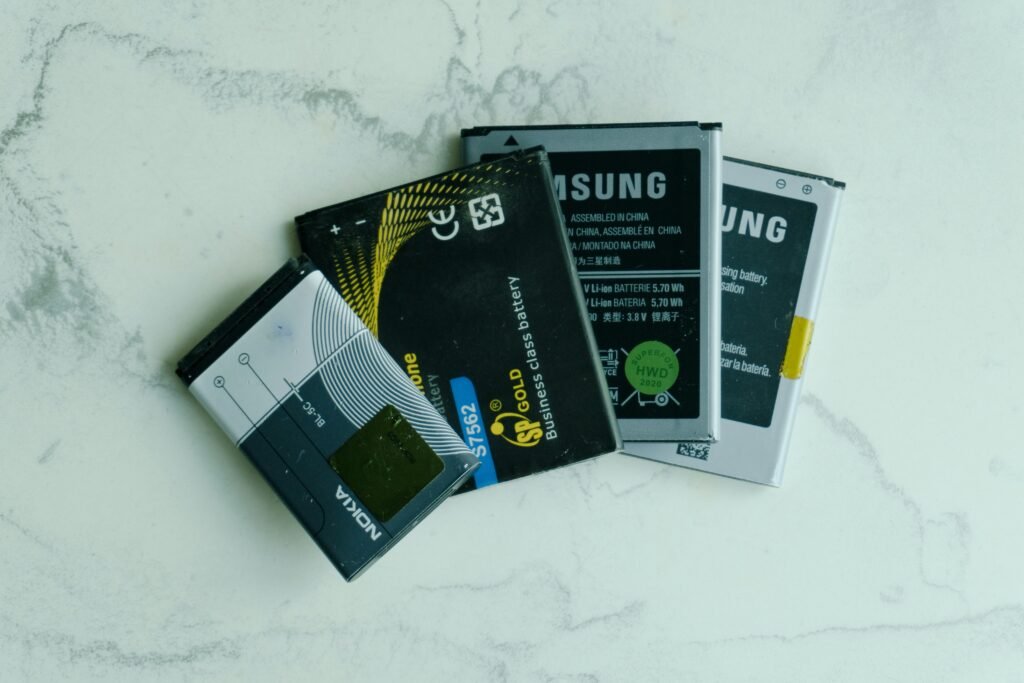
Heat Reduction During Charging
Continuous charging generates unnecessary heat. This thermal stress damages battery components and reduces lifespan.
The protector automatically stops power delivery when charging completes. Heat generation stops immediately.
Devices stay cooler during overnight charging sessions. This temperature control extends overall device longevity.
Fire and Electrical Safety
Overheated batteries pose serious safety risks. The automatic cutoff reduces fire hazards associated with unattended charging.
The fire-resistant housing provides an additional safety layer. Even under extreme conditions, the protector maintains structural integrity.
Electrical safety certifications verify the design meets international standards. CE, FCC, and RoHS compliance demonstrates quality engineering.
Safety Advantages
- Eliminates battery overcharging damage
- Reduces heat generation during charging
- Prevents electrical stress on devices
- Fire-resistant construction materials
- Certified electrical safety standards
- Automatic protection without monitoring
Considerations
- Requires USB-C compatibility on devices
- Adds slight length to charging setup
- May not work with proprietary charging protocols
- Initial investment cost versus standard cables
Long-Term Battery Health Protection
Battery lifespan depends heavily on charging patterns. Proper charging habits can double effective battery life.
The protector automatically implements best charging practices. You get optimal battery care without remembering complex rules.
Devices maintain better battery capacity over years of use. The investment in protection pays off through extended device lifespan.
Stop Worrying About Overnight Charging Damage
The Kuwajia 140W Type-C Auto Cut Charging Protector automatically safeguards your devices. Extend battery lifespan and reduce safety risks with intelligent power management.
Compatibility with Various Devices and Charging Scenarios
The Kuwajia protector works across diverse device categories. Understanding compatibility helps you maximize protection across all your gadgets.
Laptop Compatibility
Modern laptops increasingly use USB-C charging. The 140W capacity supports even high-performance models requiring substantial power.
The protector fits easily between your laptop charger and device. Fast charging capabilities remain fully functional.
Business laptops, gaming laptops, and ultrabooks all benefit from automatic cutoff protection. Your expensive laptop battery receives professional-grade care.

Smartphone and Tablet Support
Smartphones with USB-C ports charge safely through this protector. The intelligent power management adapts to lower wattage requirements automatically.
Tablets benefit from the same battery protection features. Whether you own an iPad Pro, Samsung Galaxy Tab, or other USB-C tablets, the protector extends battery life.
Fast charging protocols like Power Delivery work seamlessly. Your devices charge quickly while receiving overcharging protection.
Other Compatible Devices
- Portable gaming consoles with USB-C charging
- Wireless headphone charging cases
- Portable power banks and battery packs
- Digital cameras with USB-C power delivery
- E-readers and digital note-taking devices
- Smartwatches using USB-C charging cables
- Bluetooth speakers and portable audio devices
- Any USB-C device up to 140W power requirements
Charging Scenario Applications
The protector excels in various charging situations. Home use becomes safer during overnight charging sessions.
Office environments benefit from automatic protection on work devices. Your company laptop receives the same care as personal devices.
Travel scenarios remain convenient with compact design. The protector fits easily into laptop bags for on-the-go protection.
Compatibility Tip: Check your device’s power requirements before use. The protector supports up to 140W, making it ideal for nearly all USB-C devices currently available on the market.
Charger Compatibility
The protector works with any USB-C charger. Brand-specific chargers, third-party chargers, and universal chargers all function correctly.
Original equipment manufacturer chargers maintain full compatibility. You don’t need special chargers to use this protection device.
Wall adapters, car chargers, and portable chargers all work through the protector. Flexibility ensures protection in any charging situation.
Installation and Usage Instructions
Setting up the Kuwajia charging protector requires no technical expertise. The simple process takes seconds to complete.
Initial Setup Steps
- Remove the protector from its packaging and inspect for any shipping damage.
- Locate the input end (connects to your charger) and output end (connects to your device).
- Connect your USB-C charger cable to the protector’s input port firmly.
- Connect your device’s charging cable to the protector’s output port securely.
- Plug your charger into a power outlet and observe the LED indicator.
- Verify the LED shows active charging status when your device needs power.

Daily Use Best Practices
Leave the protector connected for continuous battery protection. The device works automatically without user intervention.
Monitor the LED indicator occasionally to confirm proper operation. A steady light indicates active charging, while no light confirms cutoff activation.
Keep connections secure to prevent accidental disconnection. Loose cables can interrupt the protection features.
LED Indicator Guide
| LED Status | Meaning | Action Required |
| Solid Blue Light | Active charging in progress | None – normal operation |
| No Light | Device at full charge, power cut off | None – protection active |
| Blinking Light | Connection issue detected | Check cable connections |
| Red Light | Error condition or overload | Disconnect and check device compatibility |
Portable Use Guidelines
The compact design travels easily in laptop bags or backpacks. Store the protector in a protective case to prevent connector damage.
Avoid excessive bending of connected cables. This prevents stress on the USB-C ports during travel.
The protector works internationally with appropriate charger adapters. Voltage differences don’t affect the auto-cut functionality.
Important: Never attempt to disassemble the protector. Internal components contain sensitive electronics that could be damaged. Tampering voids the warranty and may create safety hazards.
Practical Applications and Use Cases
Real-world scenarios demonstrate the protector’s versatility. Understanding practical applications helps you maximize the device’s value.
Home Office Protection
Remote workers benefit tremendously from automatic charging protection. Your work laptop receives professional-grade battery care at home.
Overnight charging becomes completely safe and stress-free. Wake up to a fully charged laptop without battery degradation concerns.
The protector automatically manages power during long video conferences. Your device stays optimally charged without manual intervention.

Family Device Management
Families with multiple devices face constant charging demands. The protector extends lifespan across all compatible gadgets.
Children’s tablets receive the same professional protection as adult devices. Everyone benefits from automatic battery care.
Shared charging stations become safer with cutoff protection. Multiple protectors create a comprehensive battery protection system.
Business and Professional Use
Corporate environments require reliable device performance. The protector ensures company laptops maintain optimal battery health.
IT departments appreciate reduced battery replacement costs. Extended battery lifespan lowers total cost of ownership.
Professional presentations never suffer from degraded battery performance. Devices maintain full capacity longer throughout their service life.
Travel and Mobile Scenarios
Frequent travelers face inconsistent charging opportunities. The protector works in hotels, airports, and cafes worldwide.
International voltage differences don’t affect protection features. Your devices stay safe regardless of location.
Compact size makes packing effortless. The minimal weight adds negligible burden to travel gear.
Student Applications
College students rely on devices for classes and assignments. The protector extends expensive laptop battery life throughout academic careers.
Dorm room charging becomes safer and more convenient. No need to unplug devices before sleeping.
Study sessions with continuous device use benefit from smart power management. Batteries stay healthier despite heavy usage patterns.
Content Creator Benefits
Photographers and videographers need reliable device power. The protector keeps camera batteries and laptops in peak condition.
Long editing sessions don’t compromise battery health. Devices charge optimally during rendering and export processes.
Production equipment receives professional-grade power management. Your creative tools last longer with proper charging protection.
Healthcare and Medical Applications
Medical professionals use tablets and laptops for patient records. Reliable battery performance is critical in healthcare settings.
The protector ensures medical devices maintain full capacity. Patient care never suffers from device battery issues.
Sanitizable surfaces work with the fire-resistant housing. The protector withstands healthcare environment cleaning requirements.
Perfect for Your Lifestyle
Whether at home, office, or travel, the Kuwajia 140W Type-C Auto Cut Charging Protector adapts to your needs. Protect every device in every situation.
Advantages and Disadvantages
Every product has strengths and limitations. Understanding both helps you make informed purchasing decisions.
Key Advantages
The automatic battery protection stands as the primary benefit. You gain professional-grade battery care without technical knowledge.
Battery lifespan extension saves money long-term. Replacing batteries costs significantly more than investing in this protector.
Universal compatibility eliminates the need for multiple protection devices. One protector serves all your USB-C gadgets effectively.
Detailed Benefit Analysis
- Completely automatic operation requires zero user intervention
- Works with existing chargers without replacement costs
- Supports fast charging protocols at full speed
- Compact design adds minimal bulk to setups
- Certified safety standards provide peace of mind
- LED indicators offer clear operational feedback
- Fire-resistant materials enhance overall safety
- Compatible with 140W maximum power delivery
- Reduces electricity waste from unnecessary charging
- Extends device resale value through better battery condition
Potential Limitations
The device requires USB-C connections on both ends. Older devices with micro-USB or Lightning ports need adapters.
Some proprietary charging systems may not communicate properly. Device-specific charging protocols occasionally bypass auto-cut features.
The initial cost represents an investment versus standard cables. However, the battery protection value justifies the expense.
Realistic Drawbacks
- Not compatible with non-USB-C charging systems
- Adds approximately 2 inches to cable length
- May not support some proprietary fast charging protocols
- Requires understanding of basic USB-C connections
- Initial purchase cost higher than standard cables
- LED indicator brightness may disturb some users at night
Main Advantages
- Automatic battery protection prevents overcharging
- Extends overall device battery lifespan significantly
- Works with all USB-C devices up to 140W
- Reduces fire risk from unattended charging
- Maintains fast charging capabilities fully
- Compact and portable for easy travel
- No software or configuration required
- Saves money on battery replacements
Considerations
- Requires USB-C ports on devices
- Initial investment cost involved
- May not work with all proprietary protocols
- Adds slight length to charging setup
- LED may be bright in dark rooms
- Limited to 140W maximum power
Value Proposition Assessment
The advantages significantly outweigh the limitations for most users. Battery protection and lifespan extension deliver measurable value.
Cost savings from extended battery life exceed the initial investment. Devices maintain better resale value with healthier batteries.
Safety benefits provide additional peace of mind. The combination of features justifies the purchase for device-dependent users.
Comparison with Similar Charging Protection Products
The charging protection market offers various solutions. Comparing options helps identify the best choice for your needs.
Kuwajia vs. Standard Smart Chargers
Standard smart chargers often include auto-cutoff built into the power adapter. The Kuwajia protector offers modular flexibility instead.
You keep using your existing chargers with the Kuwajia system. This saves money versus purchasing entirely new charging equipment.
The separate protector design allows use across multiple chargers. One device protects many charging scenarios effectively.

Feature Comparison Table
| Feature | Kuwajia 140W Protector | Standard Smart Charger | Basic USB-C Cable |
| Auto-Cut Protection | Yes – Automatic | Sometimes included | No |
| Maximum Power | 140W | Varies by model | Up to 100W typically |
| Works with Existing Chargers | Yes | Replaces charger | Yes |
| LED Status Indicator | Yes | Usually yes | No |
| Portable Design | Highly compact | Bulkier adapter | Very portable |
| Price Range | Mid-range | Higher cost | Lower cost |
| Battery Protection | Excellent | Good | None |
Alternative Protection Methods
Battery protection apps exist for smartphones and laptops. These software solutions alert users when charging completes.
However, software requires user action to disconnect power. The Kuwajia protector works automatically without notifications.
Smart power strips offer outlet-level control. These solutions cost more and lack portability compared to the compact protector.
Price and Value Comparison
The Kuwajia protector occupies the mid-range price category. Basic cables cost less but offer no protection features.
Complete smart charger replacements cost significantly more. The modular protector approach provides better value for money.
Considering battery replacement costs, the protector pays for itself quickly. Extended device lifespan delivers substantial long-term savings.
Kuwajia Protector Wins
- Modular design works with existing chargers
- Highly portable for travel use
- 140W supports most demanding devices
- Automatic operation without apps
- Better price-to-value ratio
- Universal USB-C compatibility
Smart Chargers Win
- Integrated solution in one device
- May include additional smart features
- Some offer wireless charging options
- Brand-specific optimizations available
Basic Cables Win
- Lower initial purchase cost
- Lighter weight for minimal setups
- Simpler with fewer components
Choose the Smart Protection Solution
The Kuwajia 140W Type-C Auto Cut Charging Protector offers the perfect balance of features, portability, and value. Protect your investment in expensive devices.
Maintenance and Care Tips
Proper maintenance ensures long-lasting performance from your charging protector. Simple care habits maximize device reliability and lifespan.
Regular Cleaning Procedures
Dust and debris can accumulate in USB-C ports over time. Regular cleaning prevents connection issues and maintains optimal performance.
Use compressed air to remove loose particles from connectors. Hold the protector with ports facing downward during cleaning.
Avoid liquid cleaners directly on the device. If necessary, lightly dampen a cloth with isopropyl alcohol for exterior cleaning only.

Connection Port Care
USB-C ports require gentle handling to maintain connectivity. Never force connections when plugging in cables or devices.
Inspect ports periodically for bent pins or damage. Early detection prevents connectivity problems before they worsen.
Keep protective caps on unused ports during storage. This prevents dust accumulation when the protector isn’t actively in use.
Cable Management Best Practices
- Avoid excessive bending near connection points
- Use cable ties to organize and prevent tangling
- Store the protector in a protective case during travel
- Keep cables away from heat sources and direct sunlight
- Don’t wrap cables too tightly around the protector
- Unplug by grasping the connector, not the cable
Storage Recommendations
Store the protector in a cool, dry location when not in use. Extreme temperatures can affect internal electronics over time.
Avoid storing in direct sunlight or near heating vents. Temperature stability extends component lifespan significantly.
Keep the device in its original packaging or a protective case. This prevents physical damage during storage or transport.
Performance Monitoring
Check the LED indicator regularly to confirm proper operation. Consistent behavior indicates healthy device function.
Test the auto-cut feature periodically by monitoring charging completion. Verify that power stops flowing when devices reach full charge.
If you notice any unusual behavior, disconnect and inspect all connections. Early problem identification prevents larger issues.
Safety Warning: If you detect any burning smell, excessive heat, or physical damage to the protector, discontinue use immediately. Contact customer support for replacement or repair guidance.
Warranty and Support Considerations
Most charging protectors include manufacturer warranties. Keep purchase receipts and documentation for warranty claims.
Register your product if manufacturer registration is available. This often extends support access and warranty coverage.
Contact support promptly if you experience any performance issues. Early intervention often resolves problems under warranty coverage.
Troubleshooting Common Issues
Even reliable devices occasionally experience problems. Understanding common issues and solutions keeps your protector functioning optimally.
LED Indicator Not Lighting
Check all cable connections first when the LED fails to illuminate. Loose connections prevent both charging and indicator operation.
Verify your charger works by testing with a standard cable. A faulty charger won’t power the protector’s LED indicator.
Try connecting a different device to isolate the problem. This determines whether the issue lies with the protector or the original device.
Why won’t my device charge through the protector?
First, verify all connections are secure at both ends. Check that your charger provides adequate wattage for your device.
Some devices require specific charging protocols. Ensure your device supports standard USB-C Power Delivery specifications.
Try bypassing the protector temporarily to confirm your charger and device work independently. This isolates the protector as the issue source.
The auto-cut feature doesn’t seem to work. What should I do?
Confirm your device communicates battery status through USB-C protocol. Some older devices don’t support this communication standard.
Check that you’re reaching genuine 100% charge before expecting cutoff. Some devices show “full” on screen before actual 100% capacity.
Verify the LED indicator changes when your device reaches full charge. The light should turn off when auto-cut activates successfully.
Can I use the protector with a power bank?
Yes, the protector works between power banks and devices. It provides the same battery protection when charging from portable power sources.
Ensure your power bank supports the wattage your device requires. The protector passes through available power but doesn’t increase capacity.
Some power banks have their own auto-shutoff features. The protector adds an additional protection layer for comprehensive battery care.
Is slow charging normal with this protector?
The protector should not reduce charging speed noticeably. If you experience slower charging, check for connection issues first.
Verify your charger supports the wattage your device needs for fast charging. The protector can’t increase power beyond what your charger provides.
Clean all connection points to ensure optimal conductivity. Dirt or oxidation in ports can reduce charging efficiency significantly.
Overheating Concerns
Mild warmth during charging is normal for electronic devices. However, excessive heat indicates potential problems requiring attention.
Ensure adequate airflow around the protector during use. Don’t cover the device with blankets or place it in enclosed spaces.
If overheating persists, reduce the power load by using a lower-wattage charger temporarily. Contact support if heating continues.
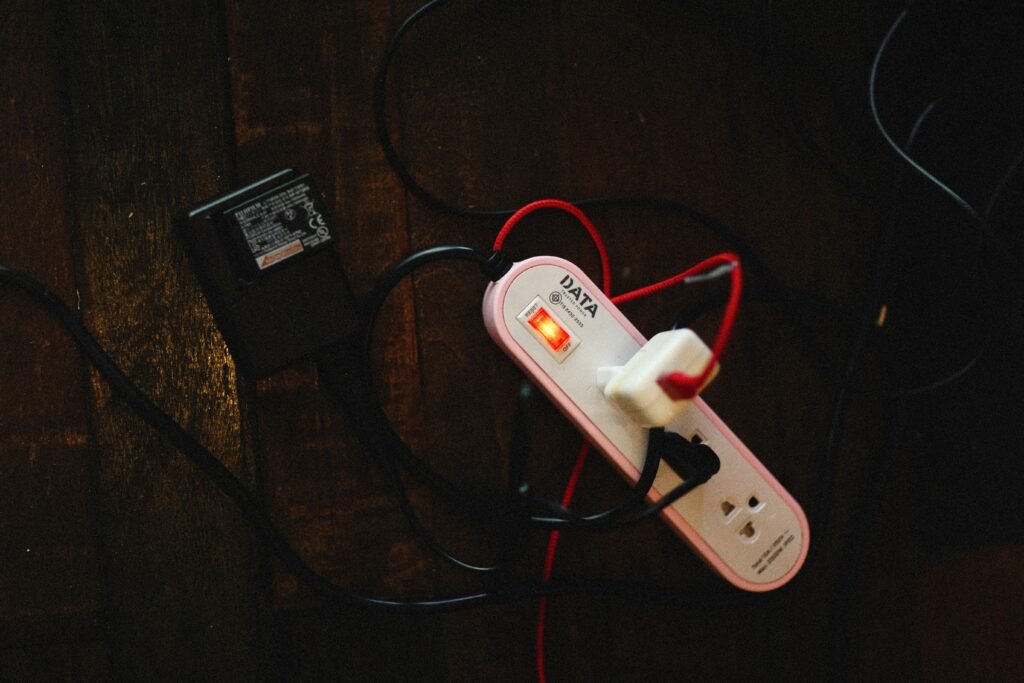
Intermittent Connection Problems
Intermittent charging often results from loose cable connections. Ensure all plugs seat fully in their respective ports.
Inspect cables for damage that might cause connection failures. Frayed or damaged cables require replacement for reliable operation.
Try different USB-C cables to identify cable-specific issues. Quality cables make significant differences in connection reliability.
Device Compatibility Issues
Some devices use proprietary charging protocols that don’t communicate properly with auto-cut features. Research your specific device’s charging requirements.
Check manufacturer specifications to confirm USB-C Power Delivery support. Devices lacking this standard may not work optimally with the protector.
Contact customer support with specific device model information. They can confirm compatibility and suggest alternatives if needed.
Pro Tip: Keep a troubleshooting log if you experience recurring issues. Document when problems occur, what you were charging, and environmental conditions. This information helps support teams diagnose persistent problems quickly.
Conclusion and Recommendations
The Kuwajia 140W Type-C Auto Cut Charging Protector delivers comprehensive battery protection for modern devices. Automatic cutoff technology prevents overcharging damage that shortens battery lifespan.
This intelligent power management system works seamlessly across laptops, smartphones, tablets, and other USB-C devices. The 140W capacity supports even the most demanding gadgets without compromising fast charging capabilities.
Safety benefits extend beyond battery protection. The fire-resistant construction and certified electrical standards provide peace of mind during overnight charging sessions.
Who Benefits Most
Remote workers and students gain significant value from extended laptop battery life. Business professionals appreciate reliable device performance throughout the day.
Families with multiple devices benefit from universal compatibility. One protection solution serves everyone’s charging needs effectively.
Frequent travelers enjoy the compact, portable design. International compatibility ensures battery protection anywhere in the world.
Investment Considerations
The protector represents a smart investment in device longevity. Battery replacement costs far exceed the initial purchase price of this protection device.
Extended battery lifespan improves device resale value significantly. Buyers pay premium prices for devices with healthy, well-maintained batteries.
Energy savings from reduced unnecessary charging also contribute to long-term value. The protector pays for itself through multiple benefit channels.
Final Recommendations
Purchase the Kuwajia 140W Type-C Auto Cut Charging Protector if you value battery longevity and device safety. The automatic protection features justify the investment for anyone using USB-C devices regularly.
Consider buying multiple units for comprehensive protection across all your devices. Each protector extends its connected device’s useful lifespan measurably.
The combination of safety features, compatibility, and automatic operation makes this protector an essential accessory for modern device users. Stop worrying about overnight charging and start protecting your valuable electronics properly.
Protect Your Devices Starting Today
Don’t let overcharging damage your expensive devices. The Kuwajia 140W Type-C Auto Cut Charging Protector automatically extends battery lifespan and reduces safety risks. Your devices deserve professional-grade protection.
contact@devixo.store
Investing in the Kuwajia 140W Type-C Auto Cut Charging Protector means investing in the future of your devices. Make the smart choice today for healthier batteries tomorrow.
- Kuwajia Auto Cut Charging Protector_Complete Guide review to Smart Battery ProtectionComplete guide to Kuwajia 140W Type-C Auto Cut Charging Protector. Learn how auto-cut technology prevents overcharging, extends battery life, and protects devices. … Read More
- Best Portable Bluetooth Speakers Waterproof in 2026Discover the best portable bluetooth speakers waterproof for 2026. Expert reviews, IP67/IP68 ratings, sound quality tests, and buying guide to find your perfect speaker. … Read More
- The Complete Guide to True Wireless Noise Cancelling EarbudsDiscover the best true wireless noise cancelling earbuds. Expert reviews of Bose QuietComfort Ultra, Apple AirPods Pro, and top models with buying tips. … Read More
- Best Wireless Gaming Headsets Reviews in 2026: Top Picks for Competitive Gaming, Comfort & Sound QualityDiscover the best wireless gaming headsets 2026 for competitive gaming, comfort, and sound quality. Expert reviews, price comparisons, and buying guides. … Read More
- 🎧 Best Wireless Gaming Headsets in 2026: Top Picks for Competitive Gaming, Comfort & Sound Quality🎧 Best Wireless Gaming Headsets in 2026: Top Picks for Competitive Gaming, Comfort & Sound Quality Did you know over 70% of elite esports competitors now rely solely on wireless audio gear? This figure has more than doubled since 2022, signalling a massive shift in player preference. Finding the ultimate audio system for 2026 demands … Read More




No comment