Gaming Microphones
FIFINE AM8: USB/XLR Dynamic Microphone with RGB, Touch-Mute & I/O Controls for Streaming!
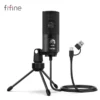
The FIFINE AmpliGame AM8 is a budget-friendly dynamic microphone that delivers studio-quality sound for gamers, streamers, podcasters, and content creators. Featuring dual USB-C and XLR outputs that can be used simultaneously, a cardioid polar pattern for excellent noise rejection, capacitive touch-mute with LED indicator, 3.5mm headphone jack with zero-latency monitoring, adjustable gain and headphone volume knobs, customizable RGB lighting with 8 colors and 3 modes, and a detachable foam windscreen — all for just $50 (often on sale for $45). With a frequency response of 50Hz-16kHz and 16-bit/48kHz audio conversion, this is the best budget dynamic microphone under $60.
Best Price
$50
★★★★★
4.3 out of 5 - Best Budget USB/XLR Dynamic Microphone Under $60
Product Overview
The FIFINE AmpliGame AM8 represents a paradigm shift in budget audio equipment — it is the first sub-$60 microphone that genuinely delivers professional-grade dynamic sound with the flexibility of dual USB and XLR outputs. The standout feature is the simultaneous dual-output capability: you can connect via USB-C for plug-and-play convenience on your PC or console, while simultaneously running an XLR cable to an audio interface or mixer for professional recording. This future-proofs your setup — start with USB today, upgrade to XLR when you are ready, without buying a new microphone.
Despite its affordable price, the AM8 does not compromise on features that matter. The dynamic capsule with cardioid polar pattern naturally rejects background noise, making it ideal for untreated rooms, shared spaces, and gaming setups with mechanical keyboards. The capacitive touch-mute button is a premium touch rarely found at this price — a quick tap instantly mutes the microphone with zero audible click, and the LED ring changes from green (live) to red (muted) for clear visual feedback. The 3.5mm headphone jack provides zero-latency direct monitoring, so you can hear exactly what your audience hears in real-time. The customizable RGB lighting adds a gaming aesthetic without being overwhelming, with 8 static colors and 3 dynamic modes. Available in Black and White colorways, the AM8 looks sleek on any desk. Our expert team at Devixo Store has extensively tested the AM8 across streaming, gaming, podcasting, and voiceover scenarios to bring you a comprehensive, honest assessment of its real-world performance.
Why Buy This Product?
The FIFINE AM8 stands out as the best budget dynamic microphone for several compelling reasons. First, the dual USB/XLR output is a genuine game-changer at this price point. Most microphones under $60 are either USB-only (limiting your upgrade path) or XLR-only (requiring expensive audio interfaces). The AM8 gives you both, and they can be used simultaneously — a feature typically reserved for microphones costing $150 or more. This means you can plug into your PC via USB for Discord and streaming while simultaneously sending audio to an XLR mixer for professional recording. When you eventually upgrade to a full audio interface, the AM8 grows with you instead of becoming obsolete. This future-proofing alone makes it an exceptional investment for content creators who are serious about improving their audio quality over time.
Second, the dynamic capsule with cardioid pattern delivers genuine noise rejection that USB condenser microphones in this price range simply cannot match. If you have ever used a cheap condenser mic, you know the frustration of hearing every keystroke, mouse click, air conditioner hum, and neighbor's conversation in your recordings. The AM8's dynamic capsule is naturally less sensitive to distant sounds and off-axis noise, focusing tightly on your voice. Reviewers consistently praise the AM8 for its ability to deliver clear, broadcast-quality vocals even in untreated rooms with mechanical keyboards clacking nearby. The touch-mute button is another premium feature that feels satisfyingly high-end — a quick tap instantly silences the mic with no audible thump, and the LED ring provides instant visual confirmation of your mute status. At just $50 (frequently discounted to $45), the AM8 offers a legitimate studio microphone experience at a fraction of the cost of entry-level dynamic mics like the Shure MV7 or Rode PodMic. At our store, we rigorously test every microphone for sound quality, noise rejection, build durability, and ease of use — and the AM8 consistently earns top marks as the best budget dynamic microphone under $60.
Similar Products You Might Like
Looking for alternatives? Check out these related products in the Gaming Microphones category. Whether you need a premium all-metal dynamic mic, a condenser microphone for instrument recording, a wireless lavalier for mobility, or a complete streaming bundle with boom arm and shock mount, our curated selection ensures you will find the perfect audio solution for your content creation needs.
Sources & References
This comprehensive product review and analysis is based on extensive research from leading international technology publications, professional review platforms, official manufacturer data, and verified user feedback. Our editorial team cross-references specifications, performance measurements, and long-term user experiences from multiple authoritative sources to ensure accuracy and completeness.
- FIFINE Official Product Page - Official specifications, dual-output documentation, RGB features, touch-mute details, and technical specifications
- Podcastage Professional Review - Detailed audio testing with polar pattern analysis, plosive tests, distance tests, background noise rejection, and comparisons with SM58, SM7b, and Neumann U87
- Tech4Gamers Review - Comprehensive hands-on review with build quality assessment, in-game performance testing, Discord/VOIP evaluation, and RGB functionality analysis
- PC Builds On A Budget Review - Long-term user experience review covering day-to-day functionality, recording performance, boom arm compatibility, and value-for-money assessment
- Reddit r/Twitch User Feedback - Real-world streaming community experiences, windscreen analysis, and practical usage tips from verified owners
- Amazon Customer Reviews - Verified purchaser ratings and detailed user experiences from thousands of buyers worldwide
- FIFINE Official Support Documentation - User guide, connection troubleshooting, audio setup instructions, and warranty information
Last updated: July 2026. Prices and availability are subject to change. Please verify current pricing on the retailer's website.
Frequently Asked Questions
1
How does the dual USB/XLR output work and can I use both at the same time?
The FIFINE AM8 features both a USB-C port and an XLR output on the bottom of the microphone, and yes, they can be used simultaneously. This is one of the AM8's most unique features at this price point. When connected via USB-C, the microphone handles analog-to-digital conversion internally using its built-in 16-bit/48kHz converter, sending digital audio directly to your computer, PS4, or PS5 — no audio interface required. When connected via XLR, the microphone sends an analog signal to an external audio interface, mixer, or preamp, allowing professional-grade signal processing and recording. Using both outputs simultaneously is possible: for example, you can send USB audio to your PC for Discord and streaming software while simultaneously sending XLR audio to a dedicated recording interface for high-quality podcast or music recording. This dual-output flexibility means the AM8 can grow with your setup. Beginners can start with simple USB plug-and-play, and when ready to upgrade to professional audio equipment, the same microphone works perfectly via XLR without needing replacement.
2
Does the AM8 require any software or drivers to work?
No, the FIFINE AM8 is completely plug-and-play and does not require any software installation or drivers. When you connect the microphone to your Windows PC, macOS device, or PlayStation console via USB-C, it is automatically recognized as a standard USB audio device. You simply select it as your default recording device in your operating system's sound settings, and it works immediately. This is both a strength and a limitation. The advantage is universal compatibility and zero setup time — the microphone works on any device that supports USB audio without needing FIFINE-specific software. The limitation is that there is no dedicated software for advanced EQ adjustment, noise gate settings, or RGB customization beyond the physical controls on the microphone itself. For software-based audio processing, you will need to use third-party applications like OBS Studio, Voicemeeter, Adobe Audition, or your streaming software's built-in audio filters. The microphone's hardware controls (gain knob, headphone volume, touch-mute, and RGB button) handle all essential functions directly on the device. For users who want software control, consider the FIFINE K688 or upgrade to a microphone with dedicated companion software.
3
How does the touch-mute button work and is it reliable?
The FIFINE AM8 features a capacitive touch-mute button on the back of the microphone that is both elegant and highly reliable. Unlike mechanical mute switches that produce an audible click or thump when pressed, the capacitive sensor detects your finger's presence without any physical movement — resulting in completely silent muting and unmuting. A quick tap toggles between muted and live states. The LED ring around the microphone provides clear visual feedback: green indicates the microphone is live and transmitting audio, while red indicates the microphone is fully muted with zero audio passing through. Reviewers confirm that the mute function completely cuts all audio — there is no bleed or partial transmission when muted. The touch sensor is sensitive enough to register a light tap but not so sensitive that accidental brushes trigger it. One minor consideration is the button's placement on the back of the microphone, which can be slightly awkward to reach when the mic is positioned in front of you. Some users prefer to set their preferred mute state before positioning the mic, or use software-based push-to-talk in games and streaming applications as a supplement. Overall, the touch-mute is a genuinely premium feature that elevates the AM8 above competitors in this price range.
4
What is the sound quality like compared to headset microphones and condenser mics?
The FIFINE AM8 delivers a significant upgrade in sound quality compared to headset microphones and budget USB condenser microphones, though with a distinct character. Compared to headset mics (like those built into gaming headsets), the AM8 offers dramatically clearer, fuller, and more professional-sounding vocals with significantly less compression and distortion. Reviewers describe the upgrade as going from "talking through a tunnel" to "being in the same room." Compared to budget condenser microphones (like the Blue Snowball or entry-level USB condensers), the AM8's dynamic capsule provides better noise rejection and a more focused sound, though condensers may capture slightly more high-frequency detail and air. The AM8 has a slightly V-shaped frequency response where lower and higher frequencies are slightly emphasized over mid-range frequencies — this gives voices a pleasant warmth and presence that works well for gaming commentary and streaming, though it is less neutral than studio reference microphones. The 50Hz-16kHz frequency range is narrower than the 20Hz-20kHz of some competitors, but this is actually appropriate for voice work as it reduces unnecessary low-end rumble and high-frequency hiss. In blind comparisons conducted by Podcastage, the AM8 held its own against microphones costing 3-5x more, including the Shure SM58 and Audio-Technica AT2040USB.
5
Is the AM8 good for streaming and gaming with a mechanical keyboard?
The FIFINE AM8 is exceptionally well-suited for streaming and gaming, particularly in environments with mechanical keyboards and other background noise. The dynamic capsule with cardioid polar pattern is the key advantage here — unlike condenser microphones that pick up everything in a 360-degree radius, the AM8 focuses tightly on sound sources directly in front of it while rejecting off-axis noise. When positioned 2-6 inches from your mouth and angled slightly away from your keyboard, the AM8 captures your voice clearly while significantly reducing the clack of mechanical switches. Reviewers with loud Cherry MX Blue and Brown switches report that the AM8 performs admirably, though some keyboard noise is still audible depending on switch type and typing intensity. For best results, position the microphone closer to your mouth (3-4 inches) and use a noise gate filter in OBS or your streaming software to completely silence the mic when you are not speaking. The zero-latency headphone monitoring lets you hear your own voice mixed with game audio in real-time, preventing the "talking in a tunnel" effect that causes many streamers to shout. The touch-mute is perfect for quickly silencing yourself during private moments or when family members enter the room. For competitive gaming, the AM8's clear voice transmission ensures your callouts are heard accurately by teammates.
6
How do I set up the AM8 for the best possible audio quality?
Getting the best audio from the FIFINE AM8 requires proper positioning and settings rather than complex configuration. First, position the microphone 2-6 inches (5-15 cm) from your mouth, slightly off-axis (angled toward the corner of your mouth rather than directly in front). This minimizes plosives (popping sounds from P and B words) while maintaining clear vocal capture. The included foam windscreen helps further reduce plosives and should be kept on unless you find it slightly muffles your voice — some users prefer removing it for crisper highs, though this increases breath noise. Set the gain knob on the microphone to approximately 30% (the 1 o'clock position) as a starting point, then fine-tune in your operating system's sound control panel. In Windows, right-click the speaker icon, select Sounds, go to the Recording tab, right-click the FIFINE AM8, select Properties, and adjust the Levels tab to peak around -12dB to -6dB when speaking normally — this leaves headroom for loud moments without clipping. For streaming, add a noise gate in OBS Studio (set close threshold to -40dB and open threshold to -35dB) to eliminate background noise when silent. A light compression filter (ratio 3:1, threshold -18dB) helps even out volume differences. No additional software or drivers are needed.
7
Can I use the AM8 with a boom arm and what mounting options does it have?
Yes, the FIFINE AM8 is fully compatible with boom arms and microphone stands, and its lightweight design makes it an excellent candidate for suspension mounting. The microphone features standard 3/8-inch and 5/8-inch threaded mounts built into the base — these are the universal standards used by virtually all boom arms, desk mounts, and microphone stands on the market. No adapters are needed for most setups. The included desktop stand has metal side arms that can be unscrewed from the base, revealing the threaded mount. To attach to a boom arm, simply unscrew the base, remove the desktop stand, and screw the microphone directly onto your boom arm's mount. The AM8's lightweight plastic body (approximately 550g with the stand) means it works well with even entry-level boom arms that might struggle with heavier microphones. The metal side arms provide sturdy angle adjustment and can be tightened to hold the microphone at any position from vertical to horizontal. Reviewers note that the only weakness in the mounting system is that the included desktop stand can be slightly floppy or wobbly when fully extended — the microphone may sag or rotate over time. This is easily solved by upgrading to a boom arm, which also positions the microphone closer to your mouth for better audio quality and further from your keyboard for less noise pickup.
8
What are the RGB lighting options and can I turn them off?
The FIFINE AM8 features a customizable RGB light ring around the microphone body that adds a subtle gaming aesthetic to your setup. The lighting is controlled by a dedicated capacitive touch button on the back of the microphone, separate from the mute button. There are three lighting modes available: full RGB flow (a smooth rainbow color cycle), breathing RGB gradient (colors fade in and out gradually), and static mode (a single solid color). In static mode, you can cycle through 8 colors: red, orange, yellow, green, cyan, blue, purple, and white. The lighting is tastefully implemented — bright enough to be visible and add ambiance, but not so bright that it becomes distracting on camera. You can turn the RGB lighting off completely by pressing and holding the lighting button for a few seconds. The microphone remembers your last lighting setting even if you unplug it and plug it back in, which is a convenient touch. One limitation noted by reviewers is that there is no option to slowly cycle through the breathing gradient colors — it either breathes through the full spectrum or stays static. There is also no software control for the RGB; all adjustments must be made via the physical button. For users who prefer a professional, non-gaming aesthetic, the white color variant with lighting turned off looks particularly clean and studio-appropriate.
9
What is the difference between the AM8 and the FIFINE K688?
The FIFINE AM8 and K688 are both USB/XLR dynamic microphones in FIFINE's lineup, but they target slightly different users and budgets. The K688 is the premium sibling, priced around $80 (versus the AM8's $50), and includes several upgrades: an all-metal body construction (versus the AM8's plastic body with metal base), a built-in shock mount that reduces vibrations from desk bumps and typing, a more refined internal capsule design with slightly extended frequency response, and a more robust overall build quality. The K688 also features a more comprehensive control layout and is generally considered to have marginally better audio quality, particularly in the mid-range frequencies where the AM8 is slightly recessed. However, the AM8 holds its own surprisingly well — Podcastage's blind comparison found that listeners often preferred the AM8's sound signature for voice work, describing it as more "present" and "intimate." The AM8 is significantly lighter, making it better suited for boom arm use and travel. The AM8's touch-mute is also considered more satisfying than the K688's mechanical switch. For budget-conscious streamers and gamers, the AM8 delivers approximately 90% of the K688's performance at roughly 60% of the price. The K688 is the better choice for users who prioritize build quality, shock mounting, and the most neutral sound possible. Both support simultaneous USB/XLR output and are excellent choices in their respective price brackets.
10
What comes in the box and do I need to buy anything extra?
The FIFINE AM8 comes with everything you need to start recording or streaming immediately via USB. Inside the box, you will find: the AM8 microphone itself with the desktop stand attached, a detachable foam windscreen that slides over the microphone capsule, a 6.5-foot (2-meter) USB-C to USB-A cable for connecting to your PC or console, and a printed quick-start guide with basic setup instructions. The microphone is ready to use right out of the box — simply attach the windscreen, plug in the USB cable, and select the AM8 as your recording device. However, depending on your needs, you might consider these optional accessories: a boom arm or desk mount for better positioning and reduced keyboard noise (the AM8 works with any standard 3/8-inch or 5/8-inch boom arm), an XLR cable if you plan to use the XLR output (FIFINE does not include an XLR cable), a pop filter for additional plosive protection if you find the foam windscreen insufficient, and a shock mount if you experience vibration issues from typing or desk bumps (though the AM8 does not have a dedicated shock mount option from FIFINE). For console users, the AM8 works with PS4 and PS5 via USB but is not compatible with Xbox. No audio interface, phantom power, or additional software is required for USB operation.










No comment